

Run the resale report
Included with every subscription
The resale report lists the properties in an area that sold more than once in a period. It draws on your own sales and the Valuer General's.
Before you start
- Your role needs See the reports menu and Print management reports. If you do not have them, Set up users shows how an administrator gives them to you.
- Know the local government area and the dates you want to cover. The report needs both.
Generate the report
- Open Reporting from the main menu and click Generate report on the Resale card.
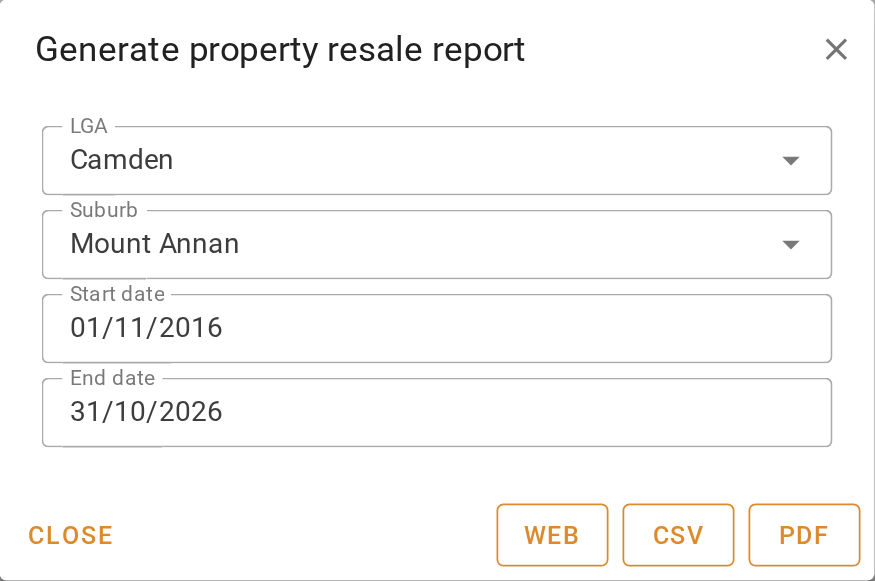
- In the 'Generate property resale report' dialog, start typing an area name under LGA and choose it from the list. Add more areas the same way.
- To narrow the report to particular suburbs, add them under Suburb. Leave it empty to cover every suburb in the areas you chose.
- Set the Start date and End date. The report looks for properties with more than one sale contracted between them.
- Click Web to open the report in VOW, or CSV or PDF to download it straight away.
Read and refine the report
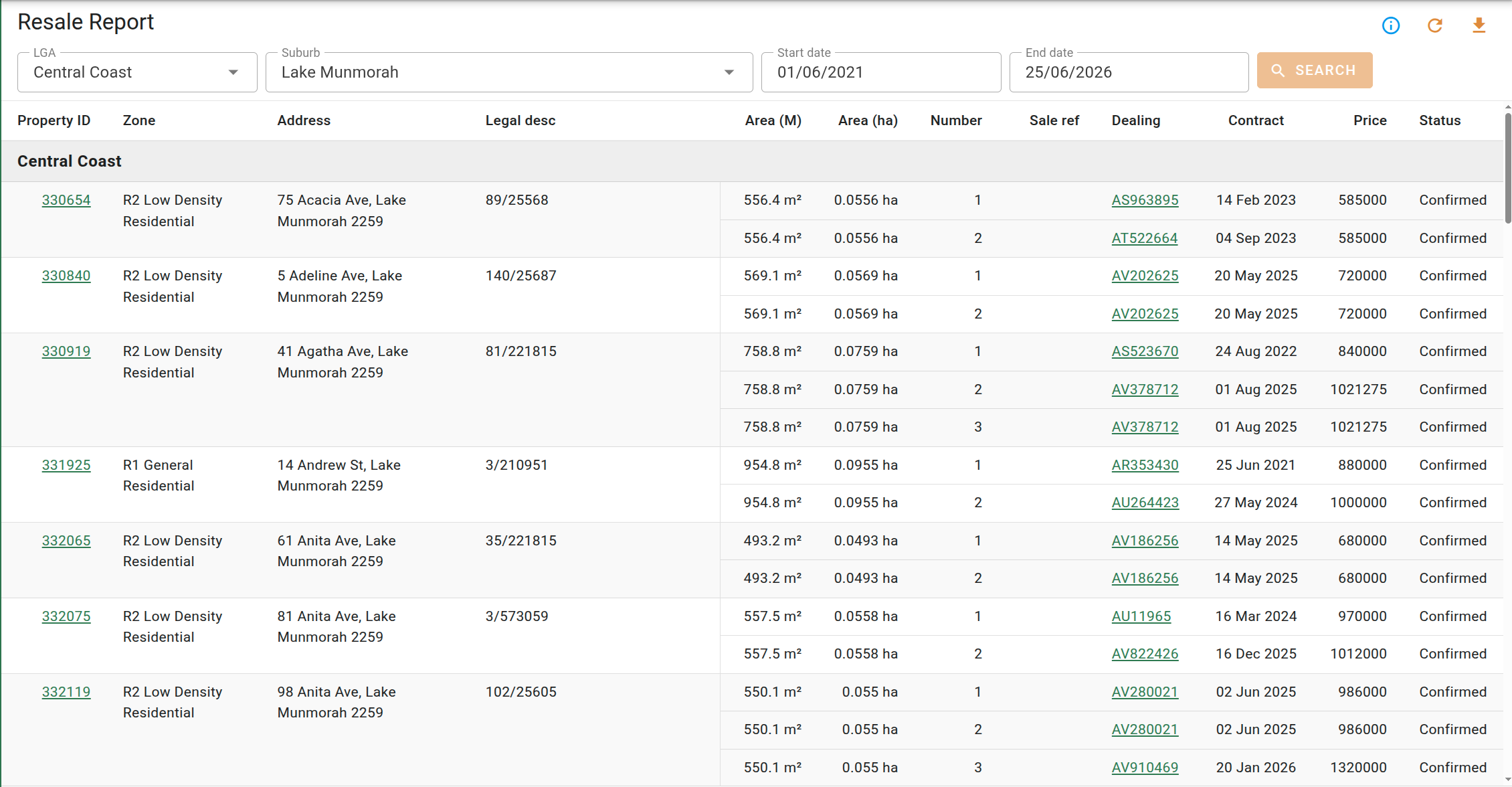
The report page groups the results under a heading for each area. Each property is listed once, with a row for every qualifying sale beneath it.
- Change LGA, Suburb, Start date or End date at the top of the page, then click Search. The button stays grey until something has changed.
- Click a Property ID to open the property, or a Sale ref or Dealing to open that sale.
- Check Status on each sale. Your own sales can be unconfirmed. The Valuer General's are always confirmed.
Provisional sales and strata-titled properties are left out, so a unit block never appears as a resale. Your own sales with no legal description are left out too.
Download the report
- Click .
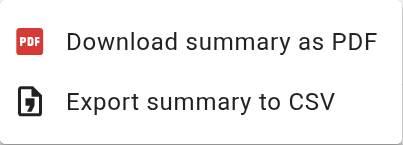
- Choose Download summary as PDF for a print-ready copy, or Export summary to CSV for a spreadsheet. The CSV splits the address into separate columns and adds the area.
- Open the file from your browser's downloads.
What you should see
Under each area heading, every property has at least two sales beneath it with contract dates inside your period. The Price column shows what each sale went for. The PDF carries the same list in landscape.
Next
Run the time tracking report. For every column and control, see Resale report. For where the sales come from, see Sales overview.