

Edit or delete a sale
Included with every subscription
Edit a company sale to add the settlement date, a revised land value or the contract. Delete a sale entered by mistake, such as a duplicate of one the import already had.
Before you start
- Your role needs Update sales, which also covers attaching files. Deleting needs Delete sales. If you do not have them, Set up users shows how an administrator gives them to you.
- Open a Results tab that includes the company sale from Add or analyse a sale. Turn on Analysed sales only to see nothing else.
Edit a sale
- Click the button in the sale's Actions column. The 'Edit analysed sale' dialog opens with the sale's reference in its title.
- Enter the Settlement date, and change any other field that needs it.
- Click Save. A Sale saved message appears and the results reload with your change.
- Click Close.
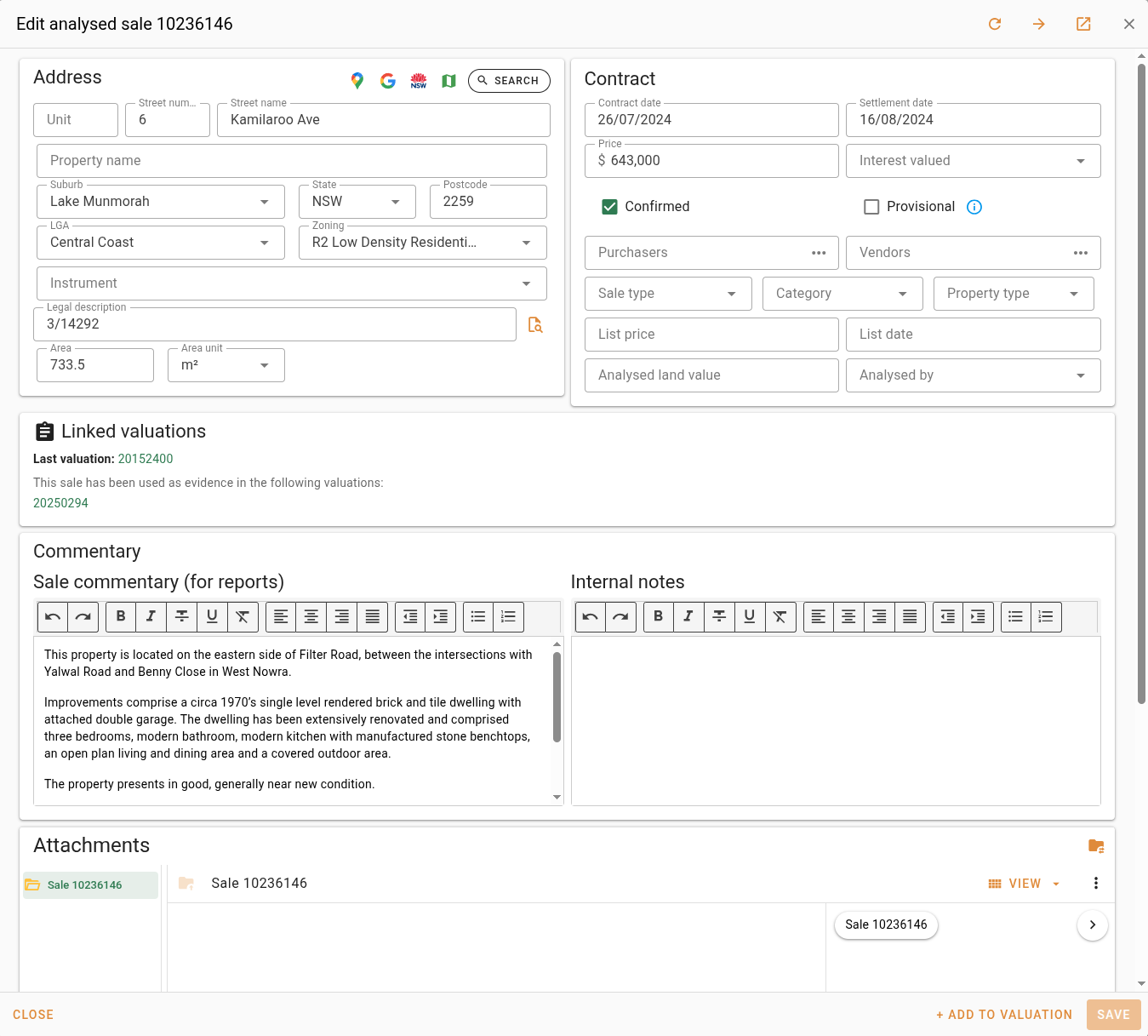
The button only appears on company sales. A VG sale shows instead. To change a VG sale, analyse it to make your own copy.
Attach the contract or photos
- With the sale open for editing, scroll to the Attachments section at the bottom of the dialog.
- Drag the files from your file manager onto the attachments area, such as the contract, the agent's listing and your own photos.
- Wait for the 'File upload progress' dialog to show every file with a tick, then click Done.
- Click Save, then Close. The files are only kept once the sale is saved.
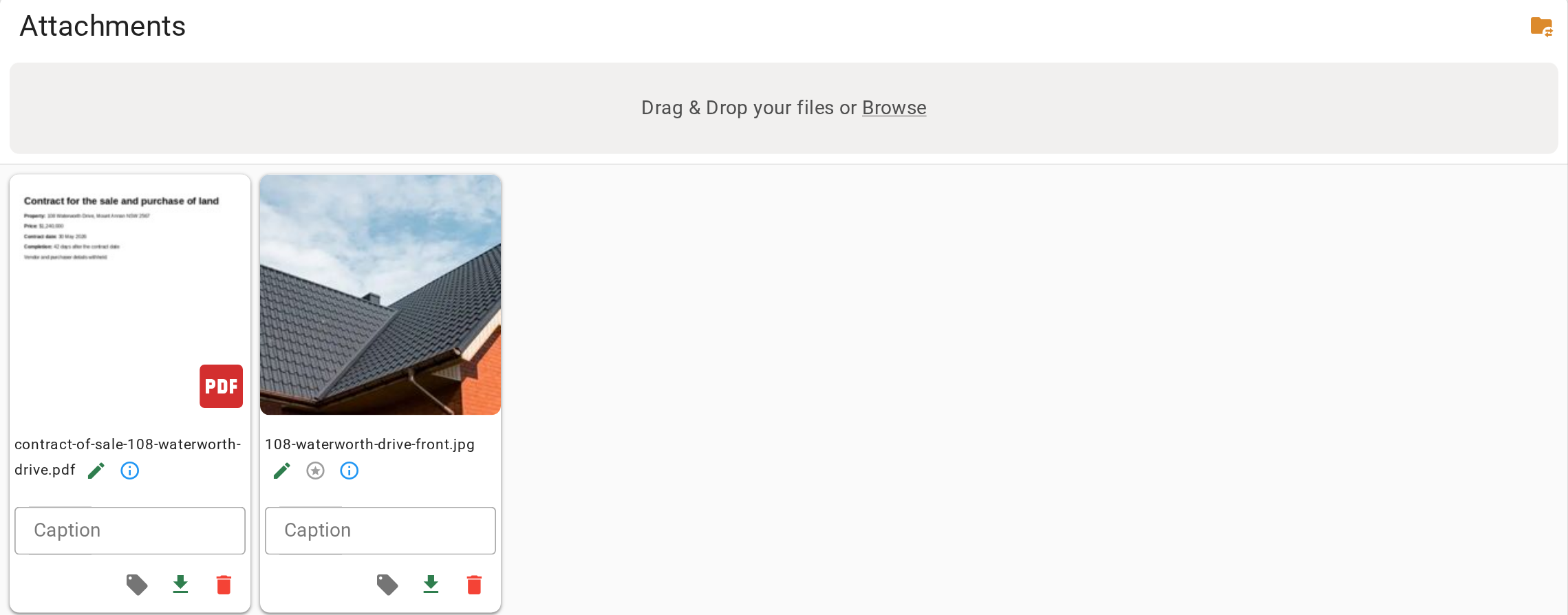
A photo you attach replaces the street view image on the sale card. VOW uses the first photo unless you click on another one.
Delete a sale
- Click the button in the sale's Actions column. The 'Delete analysed sale' confirmation opens.
- Read it. Deleting removes the sale, its commentary and its attachments, and there is no undo. Do not delete a sale that is linked to valuations as evidence.
- Click Delete.
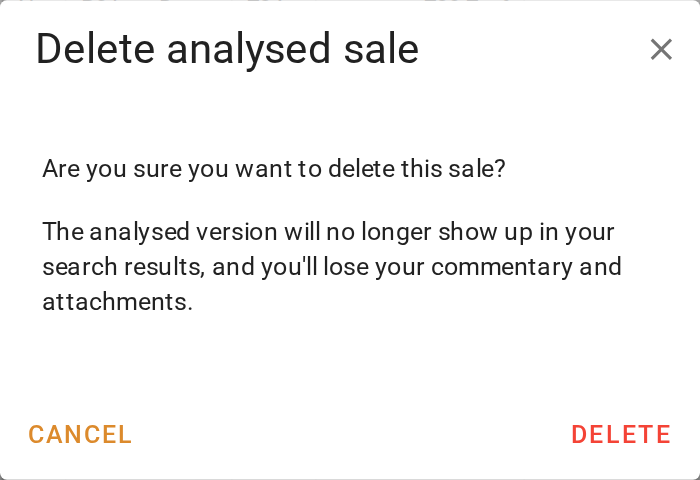
Only company sales can be deleted. The VG sale a company sale was analysed from is still there afterwards. A sale imported from the Valuer General cannot be removed at all.
What you should see
The edited sale's row shows the new settlement date. The deleted sale is gone from the results, and a search for its address finds only the VG record.
Next
Use a sale as evidence. For renaming, tagging and moving attachments, see Managing attachments.