

Report templates
Report templates are used when generating reports on valuations, projects, quotes, and requests. There are two types of report templates: long form report templates and uploaded files.
Report templates list
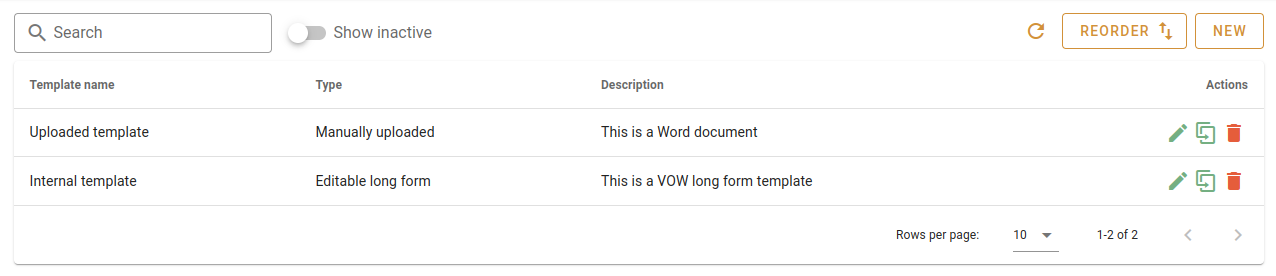
The report templates list shows all report templates in your organisation, with columns for name, type, format, description, and whether it is active. Use the Search field to filter by name or description, or click the button to reload the list.
Report template types
There are two formats of report template, which determine how a template is built and edited.
| Format | Description |
|---|---|
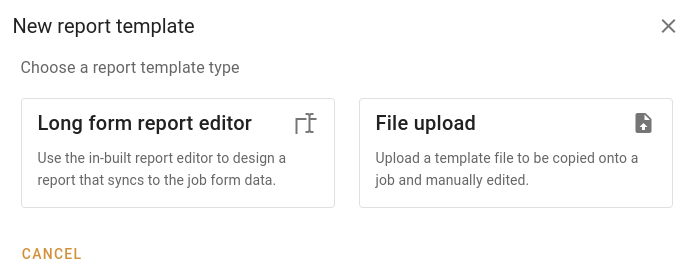
| Long form report editor | Built using the in-app report editor. Supports dynamic fields that sync to job form data. |
| Uploaded file | A file uploaded from your computer (e.g. a Word document) that is copied onto the record for manual editing. |
Reordering report templates
Click Reorder to open the reorder dialog and drag templates into your preferred order. All templates, including inactive ones, appear in the reorder dialog.
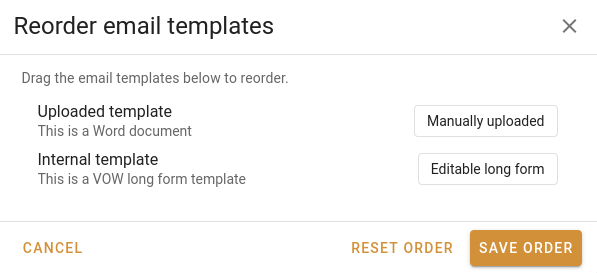
Click Reset order to discard any unsaved drag changes and return to the previously saved order. Click Save order to commit your changes.
Creating templates
Click New to open the format selection dialog. Choose either Long form report editor or File upload to continue.
Upload templates
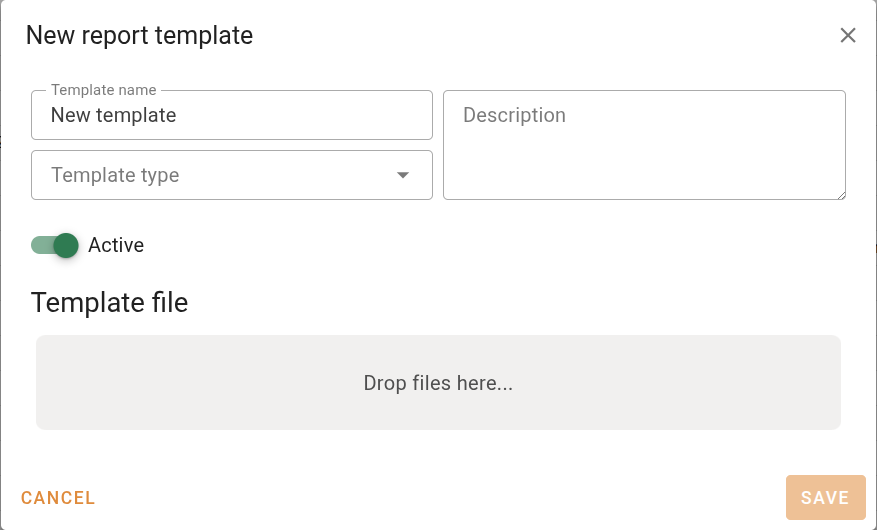
If you choose File upload, a dialog opens where you fill in the template details and attach a file.
| Field | Description |
|---|---|
| Template name | The name shown in template selection lists throughout the system. |
| Template type | The type of record this template is used on: Valuation, Project, Request, or Quote. |
| Description | Optional description of the template's purpose. |
Upload a file using the upload area below the fields. Click Save to create the template. The Save button is disabled until a file has been attached.
Once a file is attached, the following actions are available on it:
If the file is currently open in the VOW Helper app it will be shown as locked, displaying the name of the user editing it. Users with the Unlock files being edited by other users permission will see an Unlock button to release the lock.
VOW report templates
If you choose to create a long form report, the system will open the report template editor.
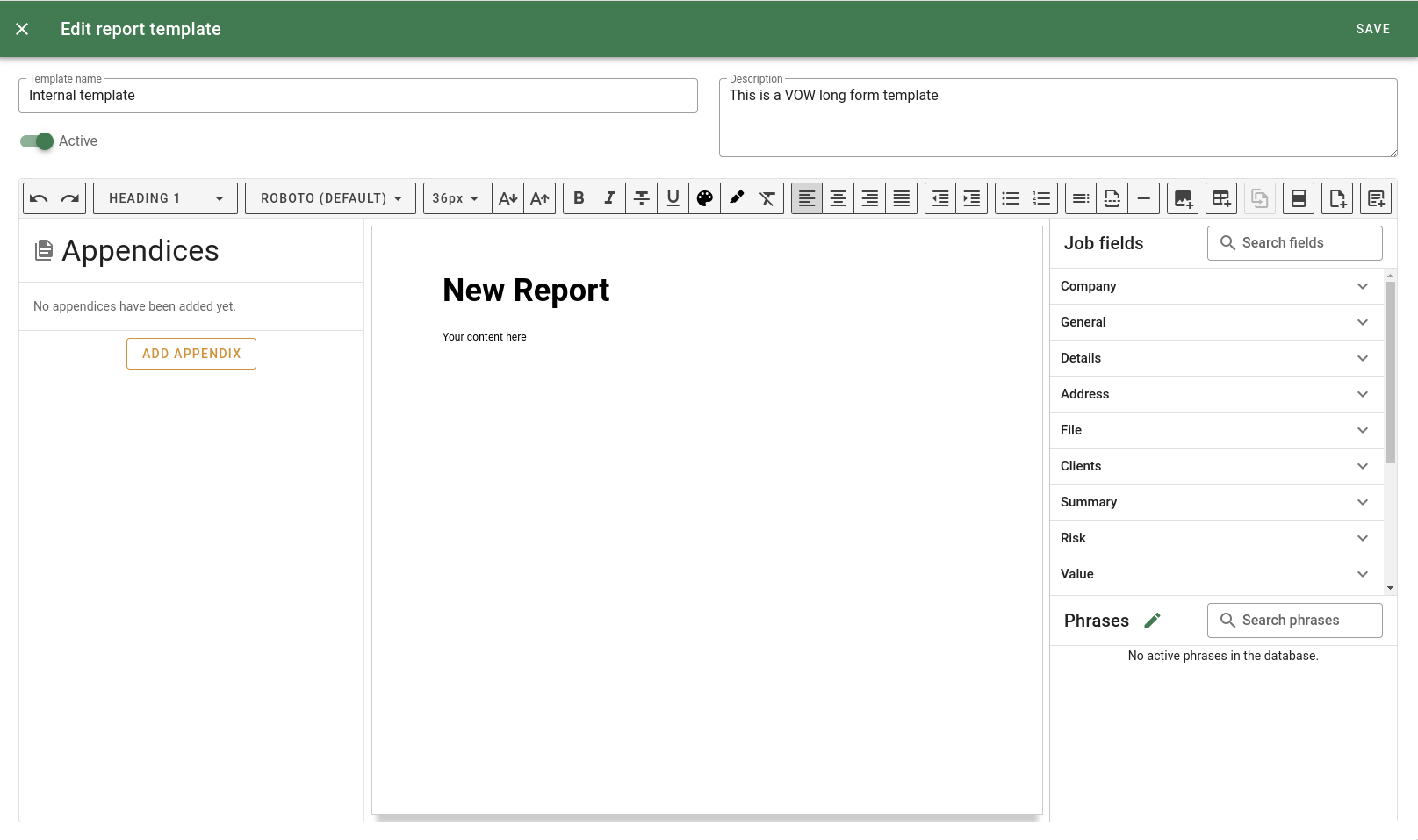
| Field | Description |
|---|---|
| Template name | The name shown in template selection lists throughout the system. |
| Template type | The type of record this template is used on: Valuation, Project, Request, or Quote. |
| Description | Optional description of the template's purpose. |
If you change the Template type on an existing template, a confirmation dialog will warn you that the change may cause errors with existing template fields.
Click Save to save your changes. This will not close the editor. The Save button is disabled until you have made a change.
If you close the editor with unsaved changes, you will be asked whether to save, discard, or continue editing.
For more on the built-in report editor, see the Report editor reference page.