

Leases overview
Leases are records of property rental agreements used as comparable rent evidence in valuations. Each lease record holds the address, parties, term, rent, and commentary for a leased property. The leases belong to your organisation, so everyone in your organisation with access sees the same records.
Lease statuses
Every lease shows a status that is worked out from its commencing date, its terminating date, and today's date. The status is never entered by hand.
| Status | Description |
|---|---|
| Upcoming | The lease has not commenced yet. |
| Active | The lease has commenced and does not end within the next 90 days. |
| Expiring | The lease ends within the next 90 days. |
| Expired | The terminating date has passed. |
The Leases page
The Leases page lists your leases in a grid. Access it from Leases in the main navigation. Only users with the permission to see the lease menu item can open it. See Roles for the lease permissions.
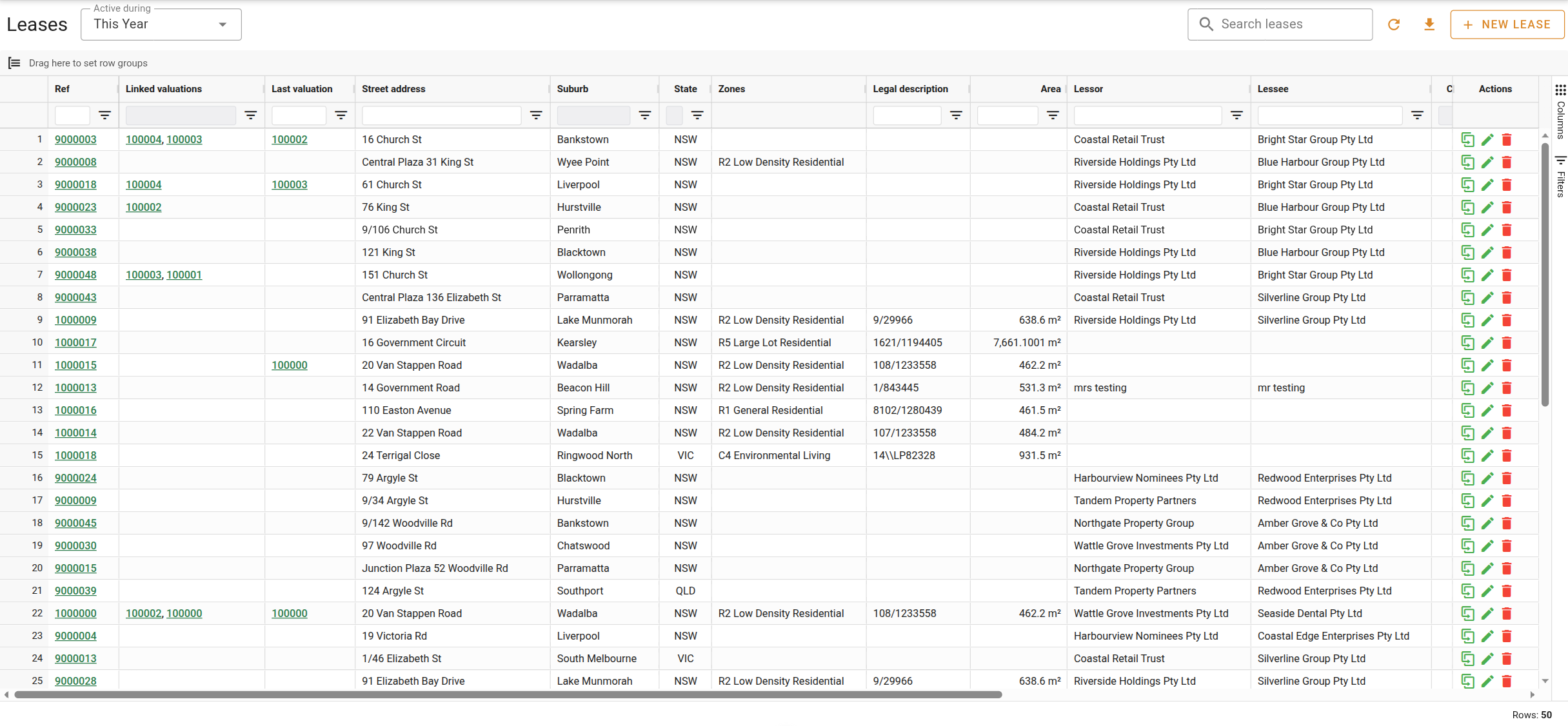
The controls above the grid are described below.
Lease list
The list shows one lease per row and is sorted by commencing date, most recent first. Columns marked as hidden by default can be shown using the column menu in each column header. Double-click a row to open the lease. Click a Ref to open the lease in a full page.
| Column | Shown by default | Description |
|---|---|---|
| Ref | Yes | The unique reference number for the lease. Displayed as a link that opens the lease. |
| Linked valuations | Yes | The reference numbers of the valuations that use this lease as evidence. Each reference is a link that opens the valuation. |
| Last valuation | Yes | The reference number of the most recent valuation completed at this property. Displayed as a link that opens the valuation. |
| Address columns | Varies | The property address, split into columns such as Street address, Suburb, and State. Full address, Prop. name, Unit No., H/N, and Street are hidden by default. |
| Lessor | Yes | The party who owns the property and grants the lease. |
| Lessee | Yes | The party who rents the property. |
| Commencing | Yes | The date the lease commenced. |
| Terminating | Yes | The date the lease ends. |
| Status | Yes | The status of the lease. See Lease statuses. |
| Term | Yes | The length of the lease, as entered on the lease. |
| Term (days) | No | The length of the lease in days, worked out from the commencing and terminating dates. |
| Commencing rent | Yes | The rent at the start of the lease, as entered on the lease. |
| Current rent | Yes | The rent currently payable. |
| Outgoings | No | The outgoings recorded on the lease. |
| Lettable area | No | The leasable floor area in square metres. |
| Permitted use | Yes | The uses permitted under the lease. |
| Lease type | Yes | The type of lease, such as commercial or residential. |
| Dealing number | Yes | The dealing number recorded on the lease. |
| Created by | No | The user who created the lease. |
| Created at | No | The date and time the lease was created. |
| Updated by | No | The user who last updated the lease. |
| Updated at | No | The date and time the lease was last updated. |
Row actions
The last column of each row holds the row actions. The same actions, and a few more, are in the context menu when you right-click a row. See Managing leases for what each action does.