

Event logs
The Event logs page provides a central place to look up the event history of any record in the system without having to navigate to the record itself.
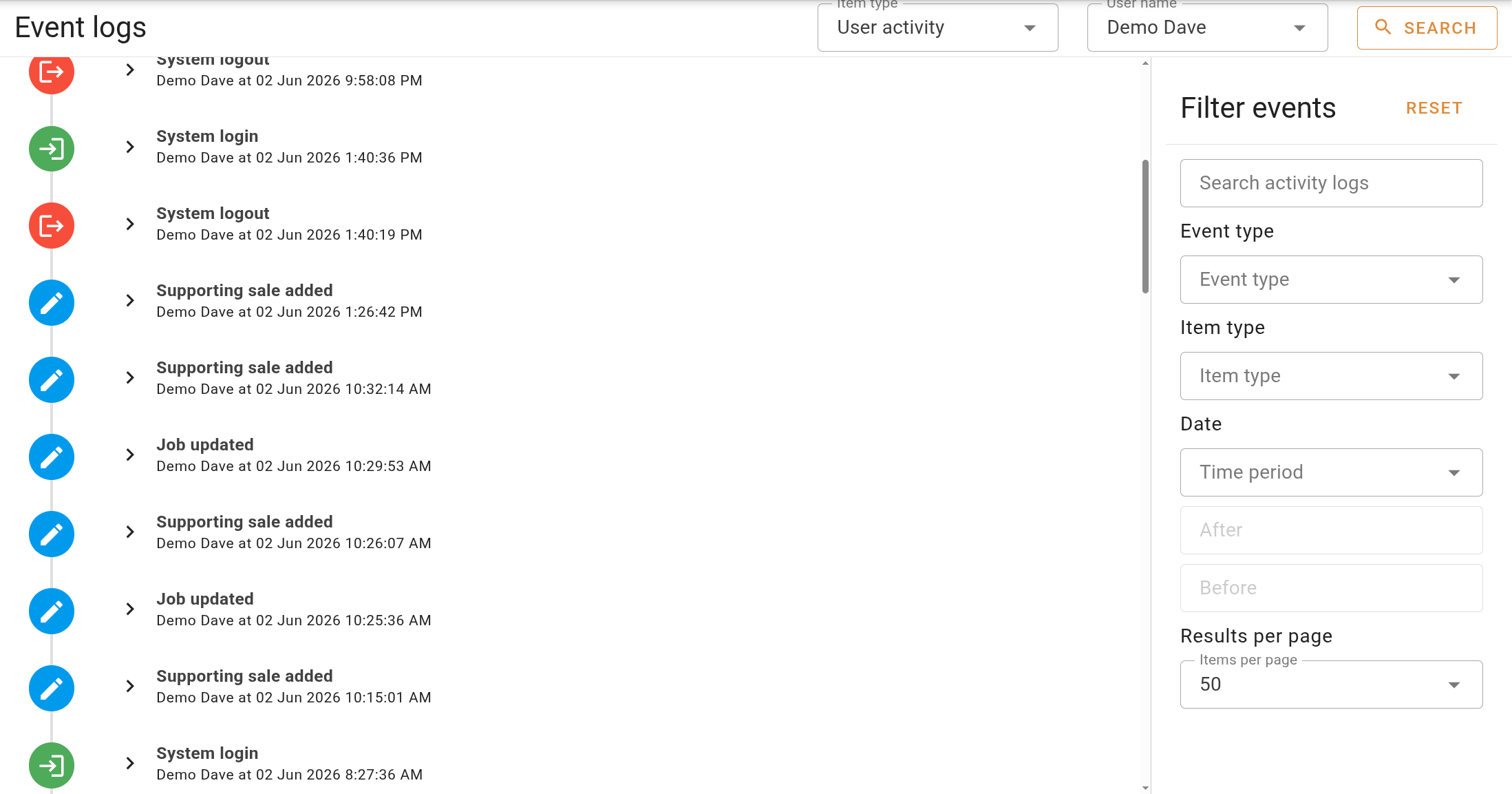
Searching for events
Select an Item type from the dropdown to choose what kind of record you want to inspect, then enter an identifier in the field that appears alongside it.
| Item type | Identifier field | Description |
|---|---|---|
| Valuation | Valuation ref | The change history of the specified valuation. |
| Quote | Quote ref | The change history of the specified quote. |
| Request | Request ref | The change history of the specified request. |
| User | User name | Changes made to the specified user's account. |
| User activity | User name | Actions performed by the specified user across the system. |
Click Search button in the top right to load the results of each search.
Filtering results
The filter panel on the right-hand side narrows the results displayed.
| Filter | Description |
|---|---|
| Search | Filters the displayed log entries by a text string. |
| Event type | The type of event to filter by. Available options vary depending on the selected item type. |
| Item type | The type of record the action was performed on. Shown only when the item type is set to User activity. |
| Time period | A preset time period, with After and Before fields available for a custom date range. |
| Results per page | The number of entries shown per page. Shown only when the item type is User or User activity. |
Click Reset at the top of the filter panel to clear all filters.
Event logs are also accessible from within individual records. The valuation event log is on the Job panel, and user logs are on the tabs in Settings | Users.