

Job summary
The job summary is a dashboard panel that shows the current state of your jobs at a glance: how many are overdue, how many are due soon, how many are active, the total fees in progress, and a breakdown of jobs by status. By default it summarises the jobs where you are the valuer or an additional valuer, and the panel caption shows whose jobs are displayed.
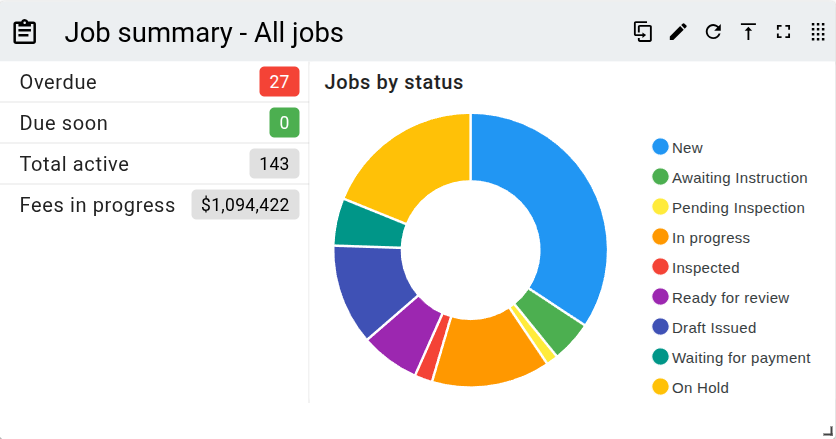
Counters
The left of the panel lists four counters. Each one except Fees in progress is a link that opens the valuations list filtered to the matching jobs.
| Counter | Description |
|---|---|
| Overdue | Active jobs whose due date has passed. Shown in red when any are overdue, green when none are. |
| Due soon | Active jobs due within the next three days. Shown in amber when any are due soon, green when none are. |
| Total active | All your active jobs, meaning those in a status that appears in your job lists. |
| Fees in progress | The combined outstanding fees across those jobs. For a job with no invoices this is its report fee, and for a job with invoices it is the unpaid balance of those invoices (total invoiced including GST, less amounts paid). |
Jobs by status
A doughnut chart breaks down your active jobs by status, with one segment per status. Clicking a segment opens the valuations list filtered to that status. Hold Ctrl while clicking, or click with the middle mouse button, to open it in a new browser tab. When there are no active jobs, the panel shows a No jobs placeholder in place of the chart.
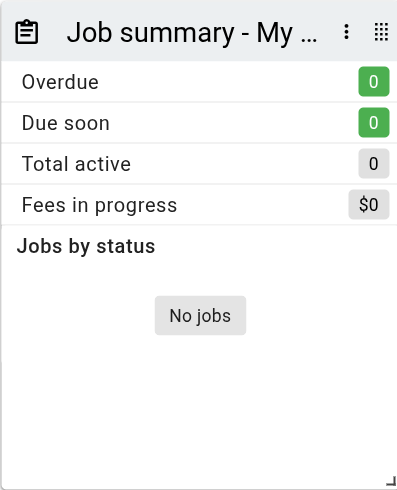
When the panel is too narrow to fit the chart beside the counters, the chart moves below them.
Panel toolbar options
Each panel header provides the following options. A drag handle sits at the right of the header. Drag it to move the panel around the dashboard. The drag handle stays visible at all times, but when the panel is too narrow to show the remaining options they collapse into a overflow menu. For resizing and showing or hiding panels, see Panels.
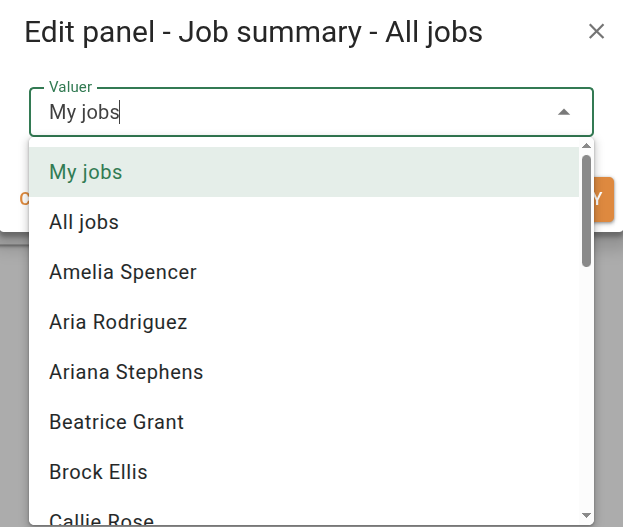
The job summary panel requires permission to view jobs. Changing the displayed valuer requires permission to view other users' jobs.