

Tabs
Tabs are the named screens within a layout, each holding its own grid of panels, and they belong to your own layout, so they apply to your account only. Splitting panels across several tabs keeps related information together and avoids crowding everything onto one screen.
Tabs appear on forms made up of tabs and panels, such as the job and project forms.
The tab bar
The tab bar runs across the top of the form and shows every tab in the current layout by name. The active tab is highlighted, and its panels fill the area below.

Each tab holds its own grid of panels.
Managing tabs
Tabs are managed from each tab's actions menu and the new-tab button at the end of the bar.
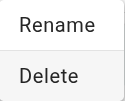
Adding, renaming, reordering, or deleting a tab is saved to your current layout straight away. There is no separate save step.