

Searching for properties
Properties search provides four methods for finding property records in VOW. The Simple and Full tabs provide search forms for running new searches, while Recent and Favourite give quick access to previously run and saved searches.
Simple search
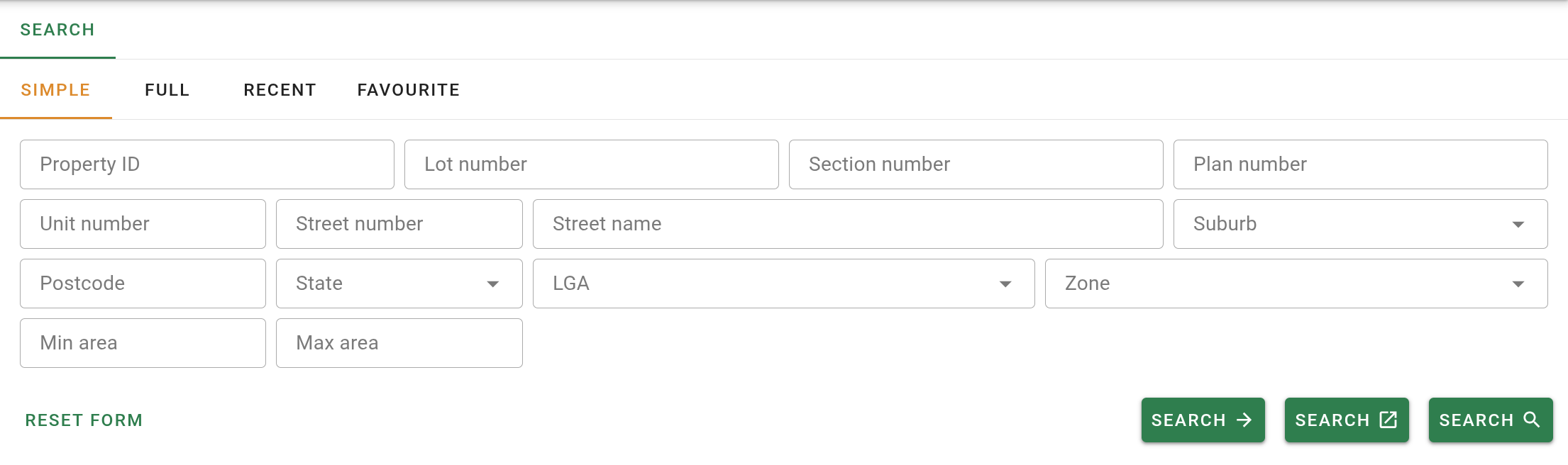
The Simple tab provides a quick search form using the most commonly used fields when searching for properties.
| Field | Description |
|---|---|
| Property ID | The unique reference number of the property. |
| Lot number | The lot number from the legal description. |
| Section number | The section number from the legal description. |
| Plan number | The plan number from the legal description. |
| Unit | The unit number of the property. |
| Street number | The street number of the property. |
| Street name | The street name of the property. |
| Suburb | The suburb in which the property is located. |
| Postcode | The postcode of the property. |
| State | The state or territory in which the property is located. |
| LGA | The Local Government Area in which the property is located. |
| Zone | The zone code assigned to the property. |
| Min area | The minimum land area to include in results. |
| Max area | The maximum land area to include in results. |
See Simple search for details.
Full search
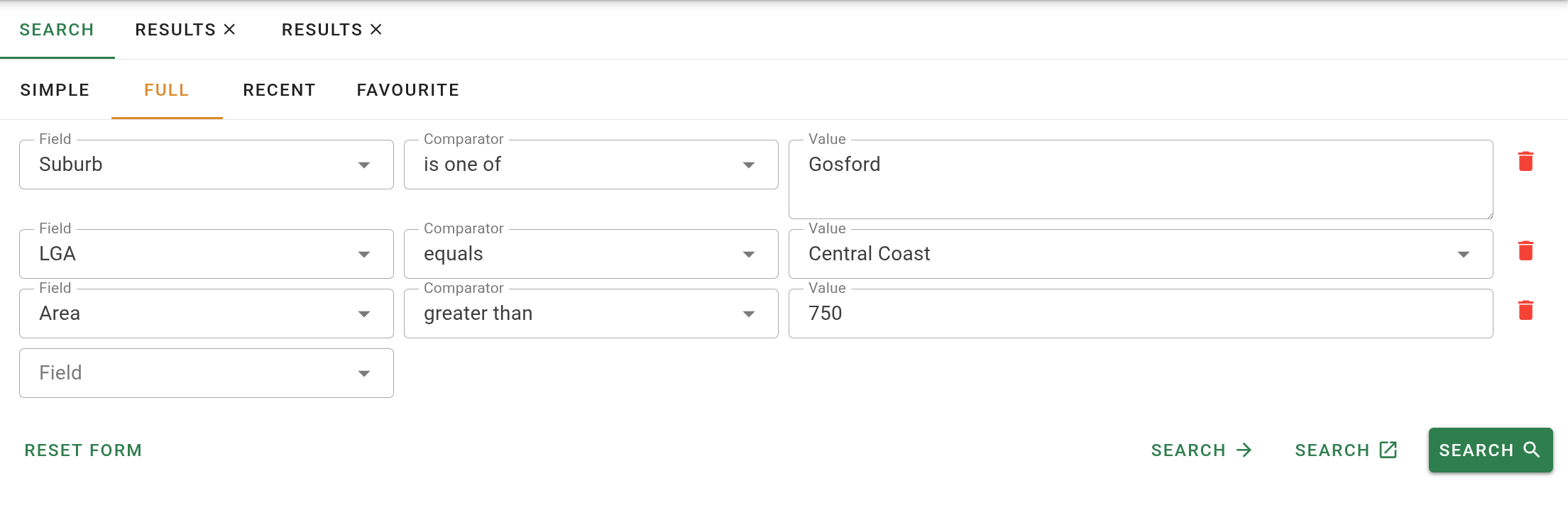
The Full tab provides a criteria builder that can search against the fields listed below. Each criterion specifies a field, a comparator, and a value.
| Field | Description |
|---|---|
| Area | The land area of the property, in square metres or hectares. |
| Land value | The most recently assessed land value for the property, as recorded by the Valuation Office. |
| Legal description | The legal description of the property. |
| LGA | The Local Government Area in which the property is located. |
| Lot / Plan number | The lot or plan number from the legal description. |
| Postcode | The postcode of the property. |
| Property ID | The unique government property identifier (PID). |
| Property name | The name of the property or building. |
| Property nature | The nature of the property, such as residential or commercial. |
| Property purpose | The primary purpose for which the property is used. |
| Property type | The type of property classification assigned by the Valuation Office. |
| State | The state or territory in which the property is located. |
| Street name | The street name of the property. |
| Street number | The house number of the property. |
| Suburb | The suburb in which the property is located. |
| Unit number | The unit number of the property. |
| Zone | The zone code assigned to the property. |
See Full search and Search comparators for details on comparators and how they apply to each field type.
Recent searches
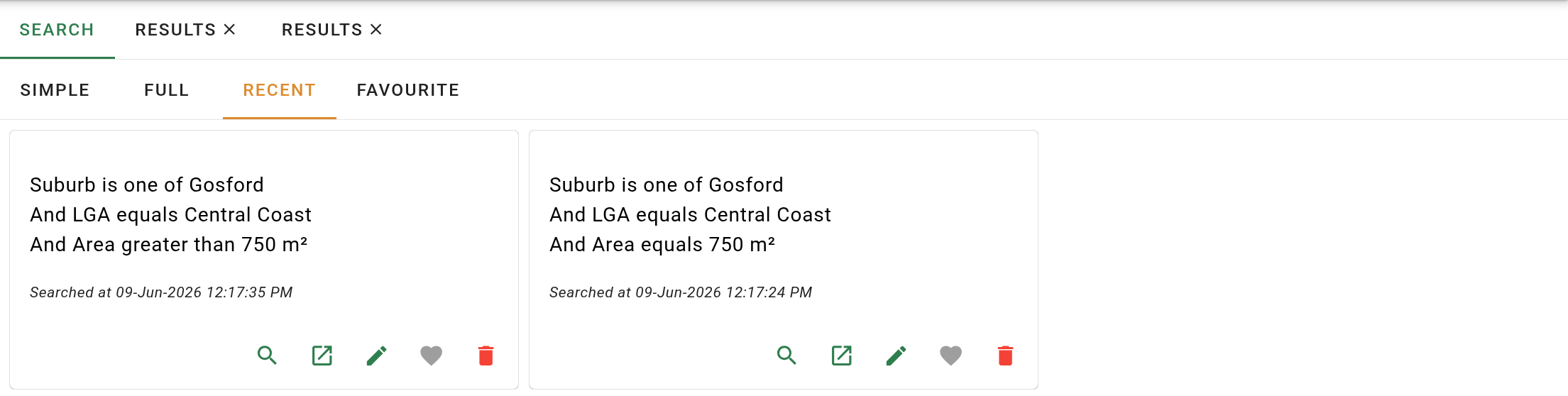
The Recent tab displays cards for each of your previously run searches. See Recent searches for full details.
Favourite searches
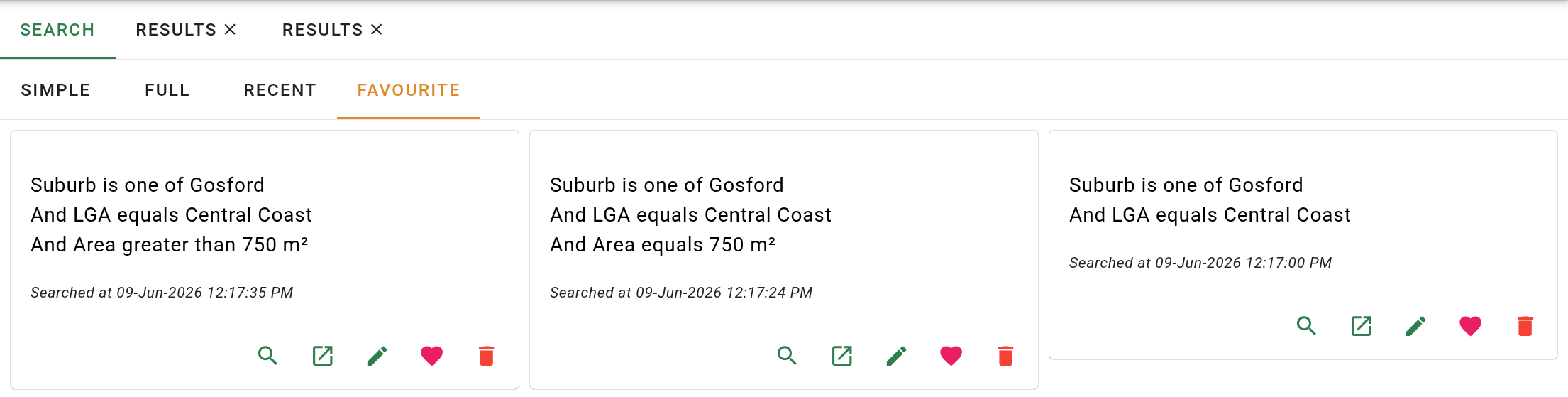
The Favourite tab displays searches that have been saved from the Recent tab. See Favourite searches for full details.