

Favourite
Favourites are searches you have saved for quick access, shown on the Favourite tab. Favourites apply to your account only, and are kept no matter how old they are — unlike recent searches, which are limited to the most recent 50.
Favourites store search criteria, not search results. If the underlying data has changed since the search was last run, the results may differ.
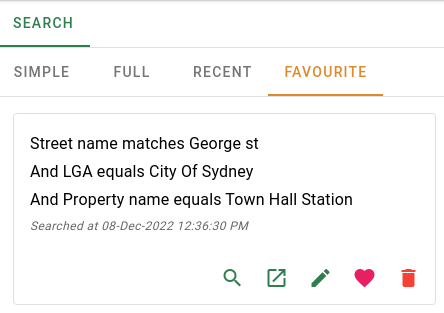
Search cards
Each favourite is displayed as a card.
| Field | Description |
|---|---|
| Search criteria | The conditions that make up the saved search. |
| Last searched | The date and time the search was last run. |
Click the card body to open the search results as a full page in the current browser tab.
Card actions
Each card has a row of action buttons along the bottom.