

Contacts panel
The contacts panel lists the people and organisations associated with a job or project. It separates external contacts, the clients and third parties involved in the job, from internal contacts, the team members assigned to it.
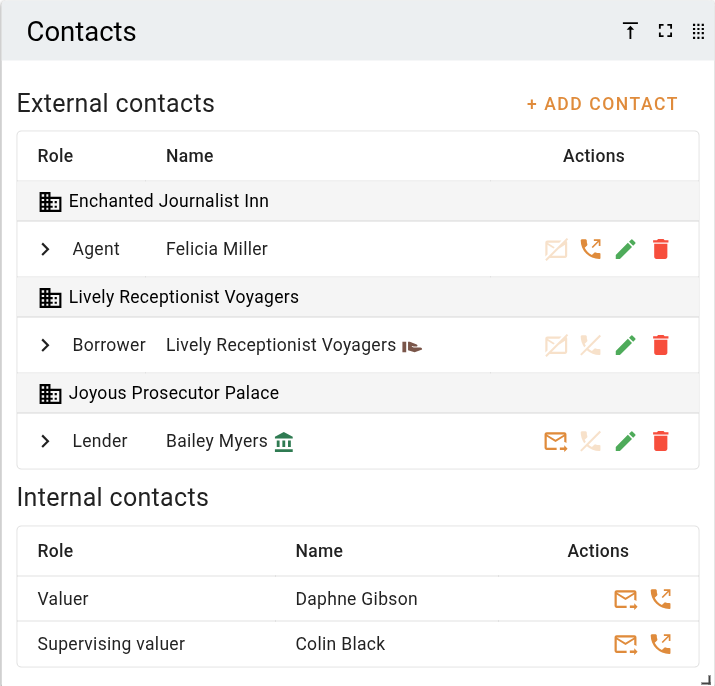
The external contacts shown on the panel are drawn from your organisation's central Contacts list. Adding a contact to a job, editing it, and removing it are described in Managing contacts.
External contacts
External contacts are the clients and third parties involved in the job, such as the instructing party, lender, and borrower. Each contact appears as a row, ordered by role. Contacts that belong to the same organisation are grouped together under an organisation heading, and when organisation contacts are present, contacts without an organisation are listed under an Individuals heading.
When the job has no contacts yet, the panel shows a No contacts yet message in place of the list.
| Column | Description |
|---|---|
| Role | The role the contact fills on the job, such as Client 1 or Lender. |
| Name | The contact's name, followed by a small coloured icon for each flag set on them. |
| Actions | Buttons to email or call the contact, and to edit or remove them from the job. |
Each row can be opened with the Expand contact card button to show the full contact card.
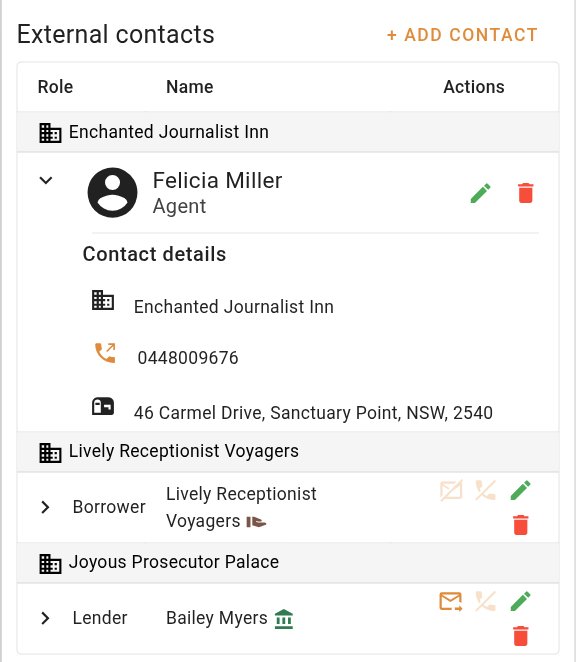
The expanded card shows the contact's organisation, email address, phone numbers, notes, and postal address, plus the billing address when it differs from the postal address. It also shows the contact's client job reference and who they are acting on behalf of, when those have been set. A contact that has been blocked in the Contacts list shows a warning here.
On a job, if the contact has notes, the expanded card includes a button to send those notes to the job's Notes | Lender specific information, either appending to or replacing what is there.
Internal contacts
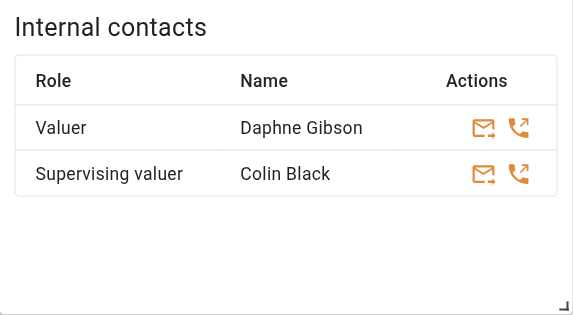
Internal contacts are the team members assigned to the job: the valuer, any additional valuers, the supervising valuer, and the assignee. They are drawn from the job itself, so they are read-only here and can be emailed or called but not edited or removed. The internal contacts list is only shown on jobs, not on projects.
| Column | Description |
|---|---|
| Role | The team member's role on the job: valuer, additional valuer, supervising valuer, or assignee. |
| Name | The team member's name. |
| Actions | Buttons to email or call the team member. |
Contact roles and flags
Every external contact has a Role that describes their part in the job. Roles come from your organisation's Contact roles list, and a custom role can also be typed in. Contacts are given a default role of Client 1, Client 2, and so on as they are added.
A contact can also carry one or more flags that mark a specific part in the job. Each flag appears as a coloured icon next to the contact's name.
| Flag | Meaning |
|---|---|
| Instructing party | The contact who instructed the job. |
| Lender | The lender for the job. |
| Borrower | The borrower. |
| Bill to | The contact who is paying for the job. |
| Access contact | The contact for arranging access to the property. |
| Tenant | The tenant. |
The first contact added to a job is automatically marked as the instructing party.
The Instructing party, Lender, Borrower, Access contact, and Tenant flags are each held by at most one contact on the job. Setting one of them on a contact clears it from any other contact that held it. These five flags also fill matching fields on the job.
| Flag | Job field set |
|---|---|
| Instructing party | The job's requestor name and phone number. |
| Lender | The job's loan reference, taken from the contact's client job reference. |
| Borrower | The job's borrower name. |
| Access contact | The job's access contact name and phone number. |
| Tenant | The job's tenant name and phone number. |