

Recent
Recent searches are a history of the searches you have run, shown on the Recent tab. Recent searches apply to your account only.
Recent searches store search criteria, not search results. If the underlying data has changed since the search was last run, the results may differ.
Only your 50 most recent searches are kept. When a search falls outside those 50 it is deleted, and running a new search can push an older one out. Mark a search as a favourite to keep it for as long as you want — see Favourite.
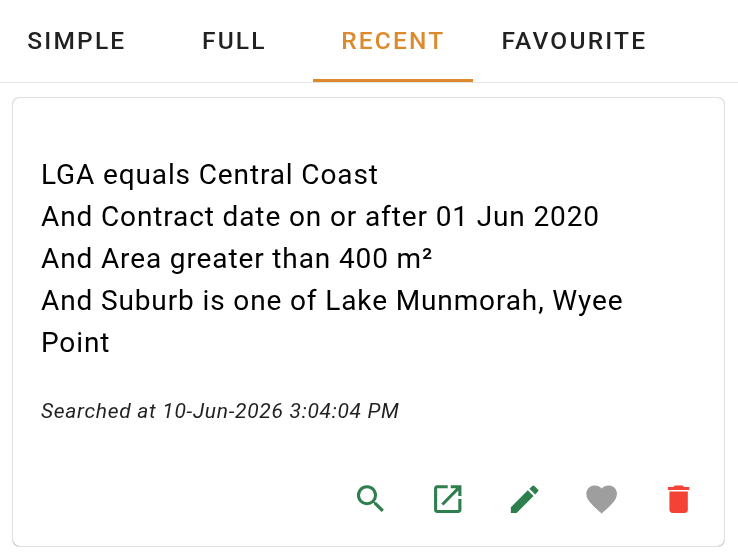
Search cards
Each search is displayed as a card.
| Field | Description |
|---|---|
| Search criteria | The conditions that make up the search. |
| Last searched | The date and time the search was last run. |
Click the card body to open the search results as a full page in the current browser tab.
Card actions
Each card has a row of action buttons along the bottom.