

Requests grid view
The grid view for requests provides a familiar grid layout for requests, akin to the jobs and quotes in other parts of VOW. Each row in the grid is representative of a single request, with various details present in the available columns. As with other grids in VOW, the request grid can be sorted, grouped and filtered by each of its columns to provide a customisable layout for your workflow.
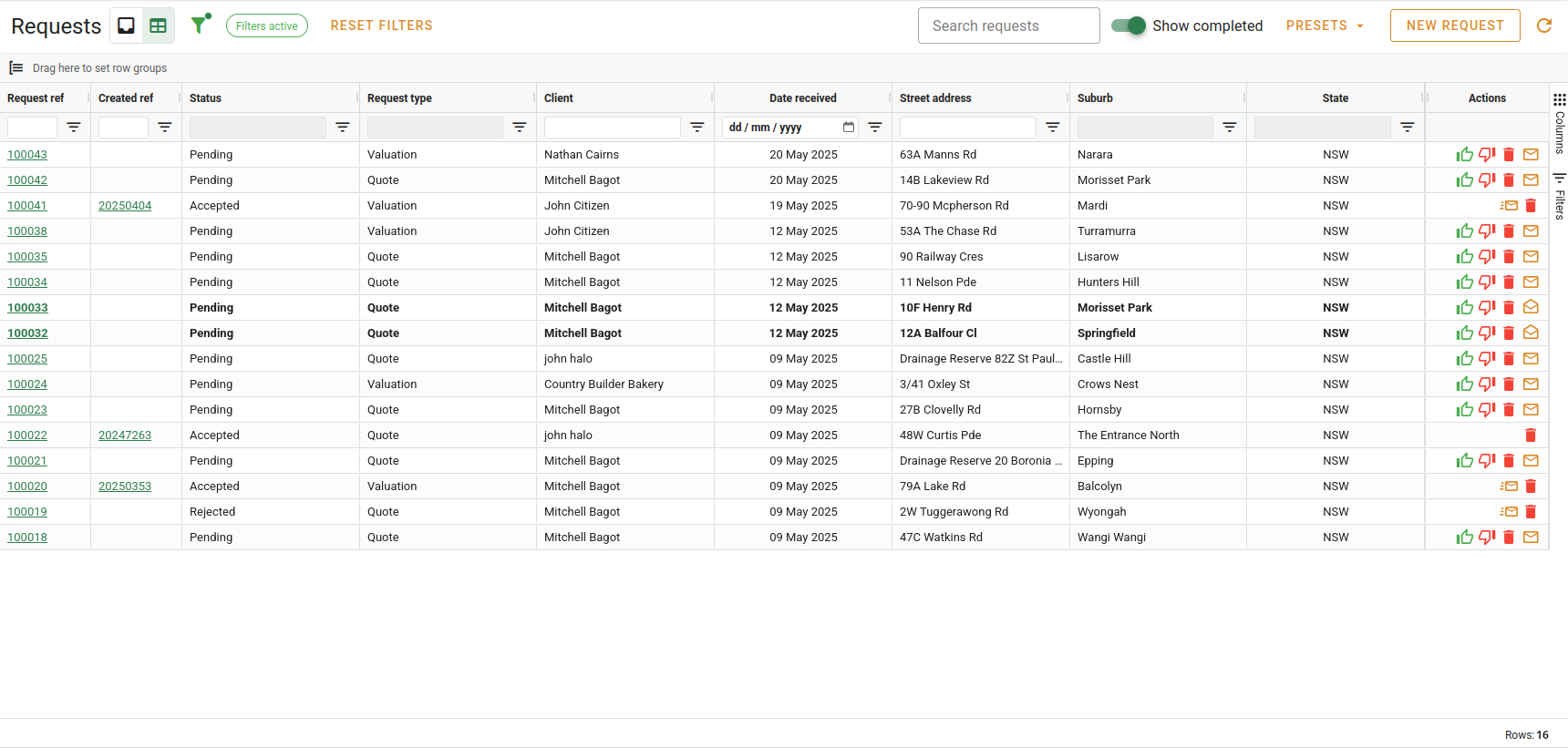
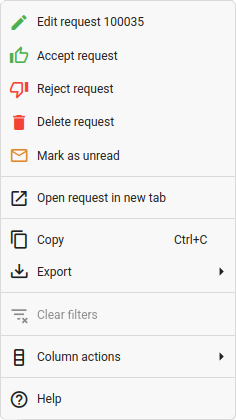
Rows in bold are unread and, as with the inbox cards, a context menu is available for common actions by right-clicking on the desired row.
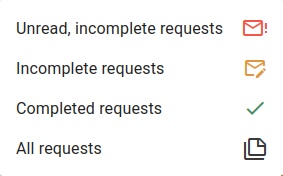
The grid view provides a handful of preset filter options from the Presets dropdown menu. Selecting these will enable the preset, and set the corresponding column filters.
- Unread, incomplete requests. This filters the grid to only display requests that have not been read (or were manually marked unread) and are still in a pending state.
- Incomplete requests. This filters the grid to only display requests in a pending state, regardless of the read status. This is the default setting.
- Completed requests. This filters the grid to only display requests that have been completed.
- All requests. This removes all filters from the grid and shows all requests.
Aside from the four presets, the grid also provides all of the standard filtering tools as you would find in an other grid in VOW. You can filter by text with the Search requests box, or you can manually apply filters on individual columns. The text searches in the contact's details, address, request status and request type.