

Viewing properties
Address
The property view contains many details about the property, as well as any related quotes, valuations and sales.
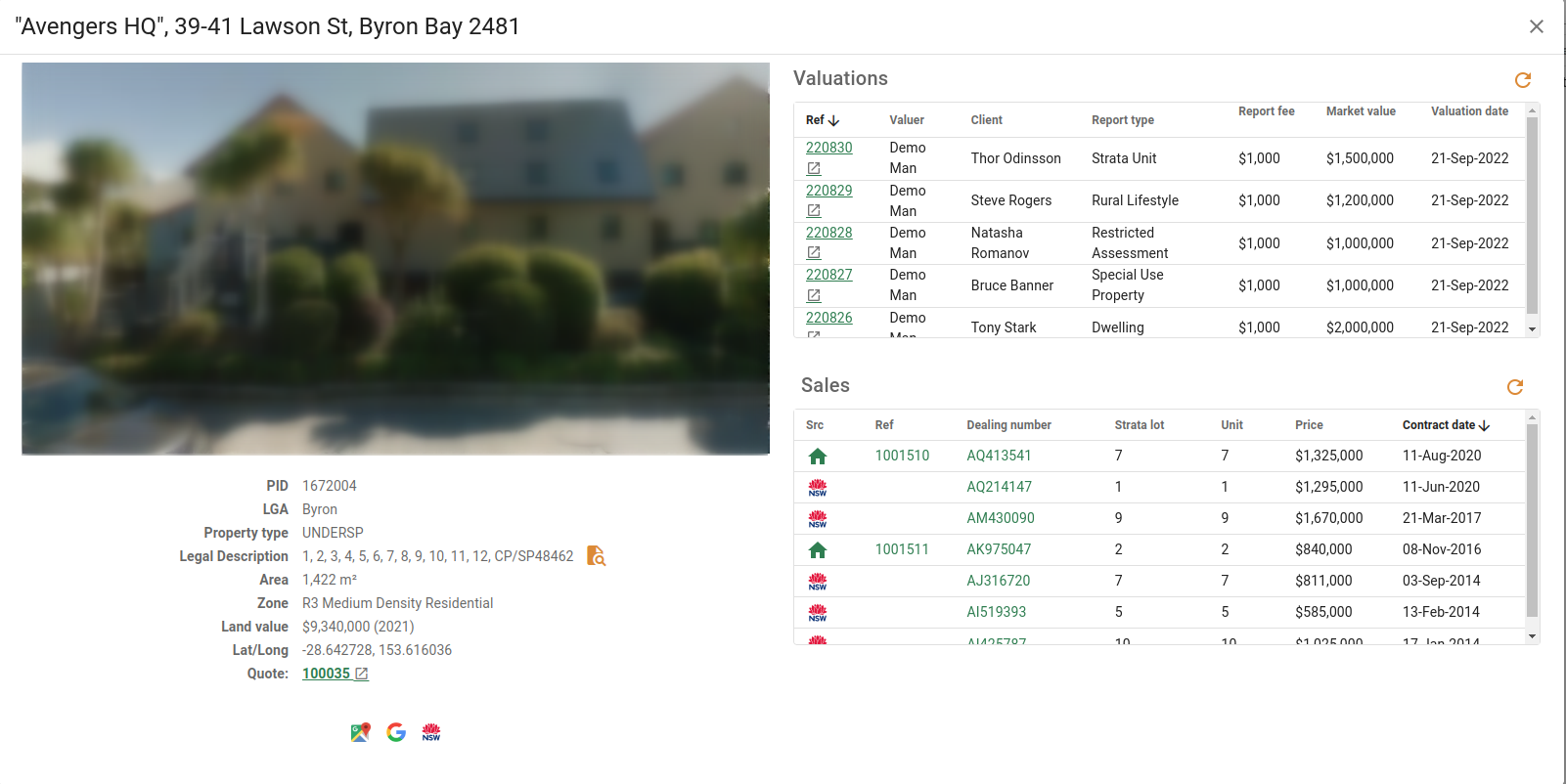
The address bar includes the properties full address as well as the property name, if it has one.
You can close the property popup by clicking the Close button in the top right-hand corner, or clicking outside the popup.
Property Image
If you have Google Maps API Key, the property will display a Google Street View image. If no image is available, or you don't have an API Key, it will display a placeholder image.
Property info
Below the image you can see the following information about the property.
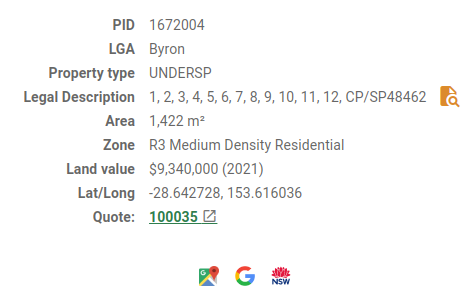
| Field | Description |
|---|---|
| PID | This is the unique Property identification number. |
| LGA | This is the Local Government Area / District in which the property is located. |
| Property type | This is the type the property is listed as use for. |
| Legal Description | The Legal description of the property. With the File search icon you can search for or add plan documents to the property. you can search for or add plan documents to the property. |
| Area | The total Area of the property displayed as either m2 or ha. |
| Zone | This is the Zoning code the property is listed under. |
| Land value | This is the current land value for the property and the year it was set. |
| Lat/Long | This is the Latitude and Longitude reference for the property. |
| Quote | This displays the latest quote reference number if there is one, while clicking on the quote number with the New tab icon will open the most recent quote for the property in a new tab. (See quotes) will open the most recent quote for the property in a new tab. (See quotes) |
The Google Maps button will show the property on Google Maps in a new tab.
The Google Search button will do a Google search on the property in a new tab.
The Six Maps button will show the property on SIX maps in a new tab.
Property valuations
Valuations that relate to the property are visible in a scrollable table on the top right. This includes valuations done for units at a larger property, which may not match the address exactly.

The valuation can be opened by clicking on the Ref number with the New tab icon this will open the valuation up in a new tab where you can edit it.
The  Refresh icon will refresh the valuations table.
Valuation table
These are the following fields in the Valuation table.
| Field | Description |
|---|---|
| Ref | The valuation reference number. |
| Valuer | The valuer assigned to the valuation. |
| Client | This is the name of the contact client. |
| Report type | This is the type of report used for the valuation. |
| Report fee | The initial fee for the report. |
| Market value | The market value of the selected property. |
| Valuation date | The date the valuation was made. |
For more on valuations, see Valuation reports.
Property sales
Sales relating to the property are located in a scrollable table underneath the valuations table. Each sale has its own row and can be opened by clicking on either the Ref number or the Dealing number. This will open the sale in a popup where you can choose to analyse the sale, edit an existing analysed sale or add it to valuations.
The Refresh icon will refresh the sales table.
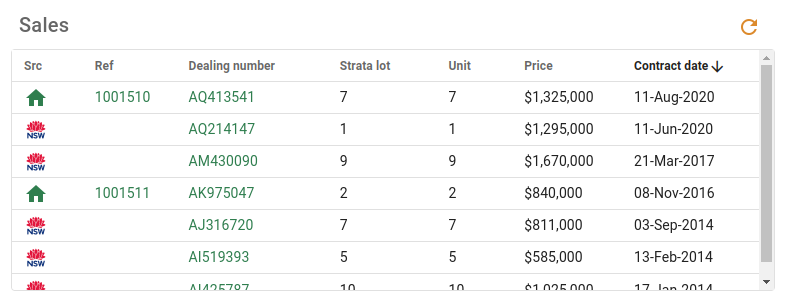
Sales table
These are the following fields in the Sales table
| Field | Description |
|---|---|
| Src | This is the source of the sale. It will be either VGSales NSW or a company sale. |
| Ref | This is the individual reference number for the property. |
| Dealing number | This is the dealing number |
| Strata lot | This will be the strata lot number, if there is one otherwise this field will not show. |
| Unit | This is the unit number, if there is one otherwise this field will not show. |
| Price | This is the price the property was sold for at the time of the sale. |
| Contract date | This is the date the contract was signed. |
For more on sales, see Sales.