

Turn on time keeping
Included with Enterprise
With time keeping on, staff record the time they spend on each job, with a timer or by hand, and the Time keeping report shows the hours recorded.
Skip this task if your company does not bill or track time.
Before you start
Decide who records time, who can see other people's time, and who runs the report. Have an hourly rate for each person who bills time.
Turn on time keeping
- Open Settings | System.
- In the Time keeping card, turn on Enable Time keeping features in VOW.
Turning on time keeping
Give your staff the time keeping permissions
The Valuer role already has Charge for time spent on jobs. Everyone else needs it added. The reporting and oversight permissions are off for everyone until you tick them.
- Open Settings | Roles.
- Open User. Under Time keeping, tick Charge for time spent on jobs if office staff bill time too. Click Save.
- Open the role for whoever manages the company, or add one. Tick View time keeping reports, View other users' time entries and See how much other users are charging. Add Update other users' time entries if they correct timesheets. Click Save.
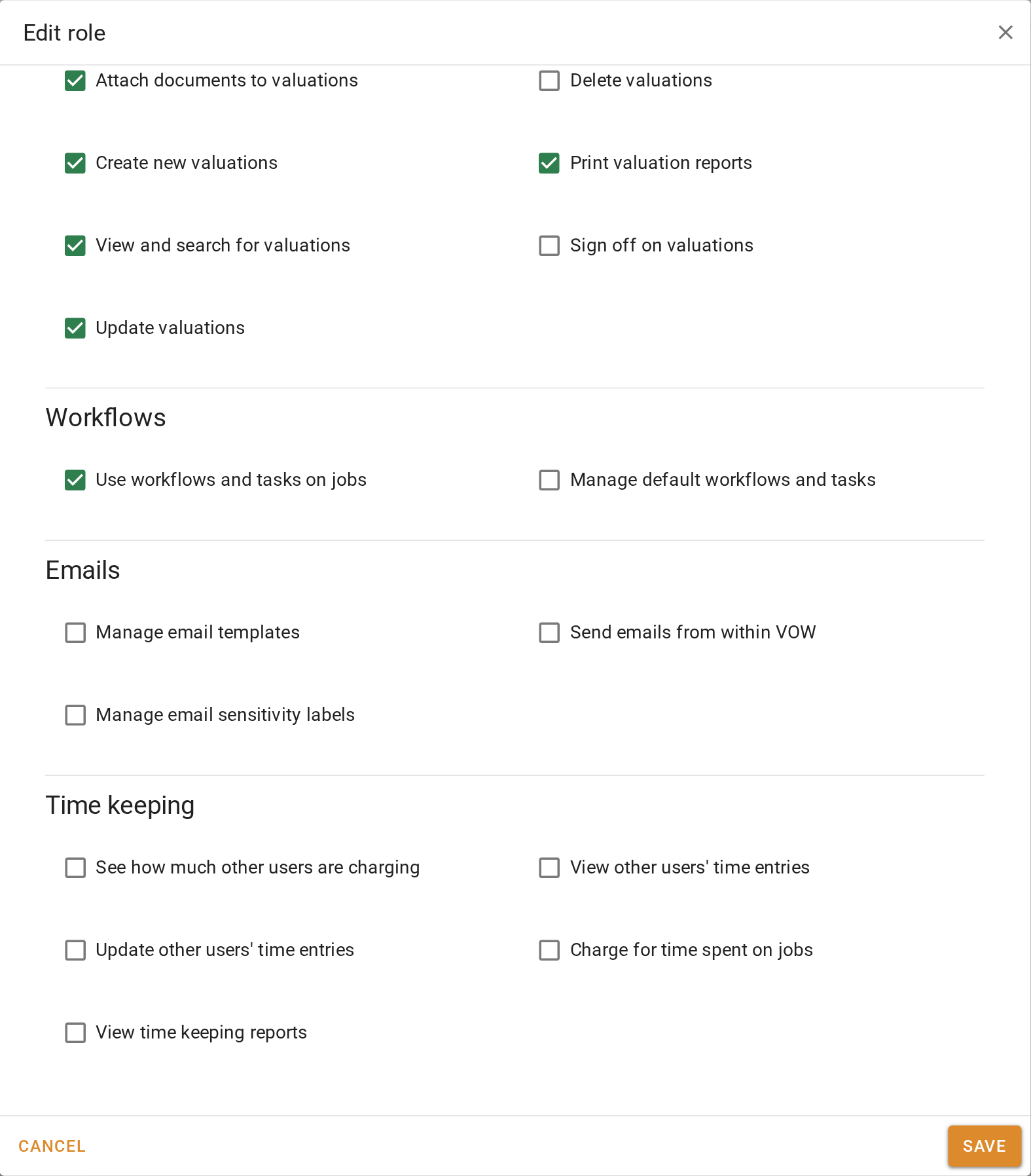
Giving your staff the time keeping permissions
Set each person's hourly rate
The rate goes on every billable time entry the person records, so the report and the invoice show a dollar value as well as hours.
- Open Settings | Users.
- Click the button beside a user who bills time.
- Under Time tracking, enter their Hourly rate. The field only appears once the user has a role with Charge for time spent on jobs. If it is missing, check their roles on the Security tab.
- Click Save user.
Setting each person's hourly rate
Confirm your setup
Time keeping appears in the menu for everyone with the permission. Someone with View time keeping reports sees Time keeping under Reporting. A user with an hourly rate can record a time entry on a job and see its value.
For the switch, see Time keeping. For the permissions, see Roles.