

Give your staff access to quotes, email and requests
Included with Professional and Enterprise
The permissions for quotes, email, requests, property search and the event log are not ticked on the built-in User or Valuer role, so until you tick them only administrators can use these features. Staff see no quotes page and no email button, and VOW does not tell them why.
Before you start
Decide which roles create and send quotes, which price them, and which handle incoming requests. If you added your own roles in Set up roles, decide which of them need these permissions too.
Update your roles
- Open Settings | Roles.
- Click User to open it.
- Under Quotes, tick what your office staff need. For most companies that is View quotes page, View quotes, Create quotes, Edit quotes and Download/Print quotes. Add Set quote amounts for the people who price quotes, and Sign off on quotes for the people who approve them.
- Under Emails, tick Send emails from within VOW for anyone who will email clients from a job. It only works once email integration is set up in the next task.
- Under Requests, tick View request details, Process requests and Create work requests for the people who handle incoming work. Then, under System, tick View requests page. Without it they cannot open the requests page.
- Under System, tick View event logs if staff should see the history of a job, including every email sent from it.
- Under Properties, tick View properties page and View properties if staff should search the property database. Property search is available to Australian companies.
- Click Save. The change applies to everyone with the role.
- Repeat for Valuer and any roles you added. Valuers usually need the quote permissions, to price their own quotes, and Send emails from within VOW.
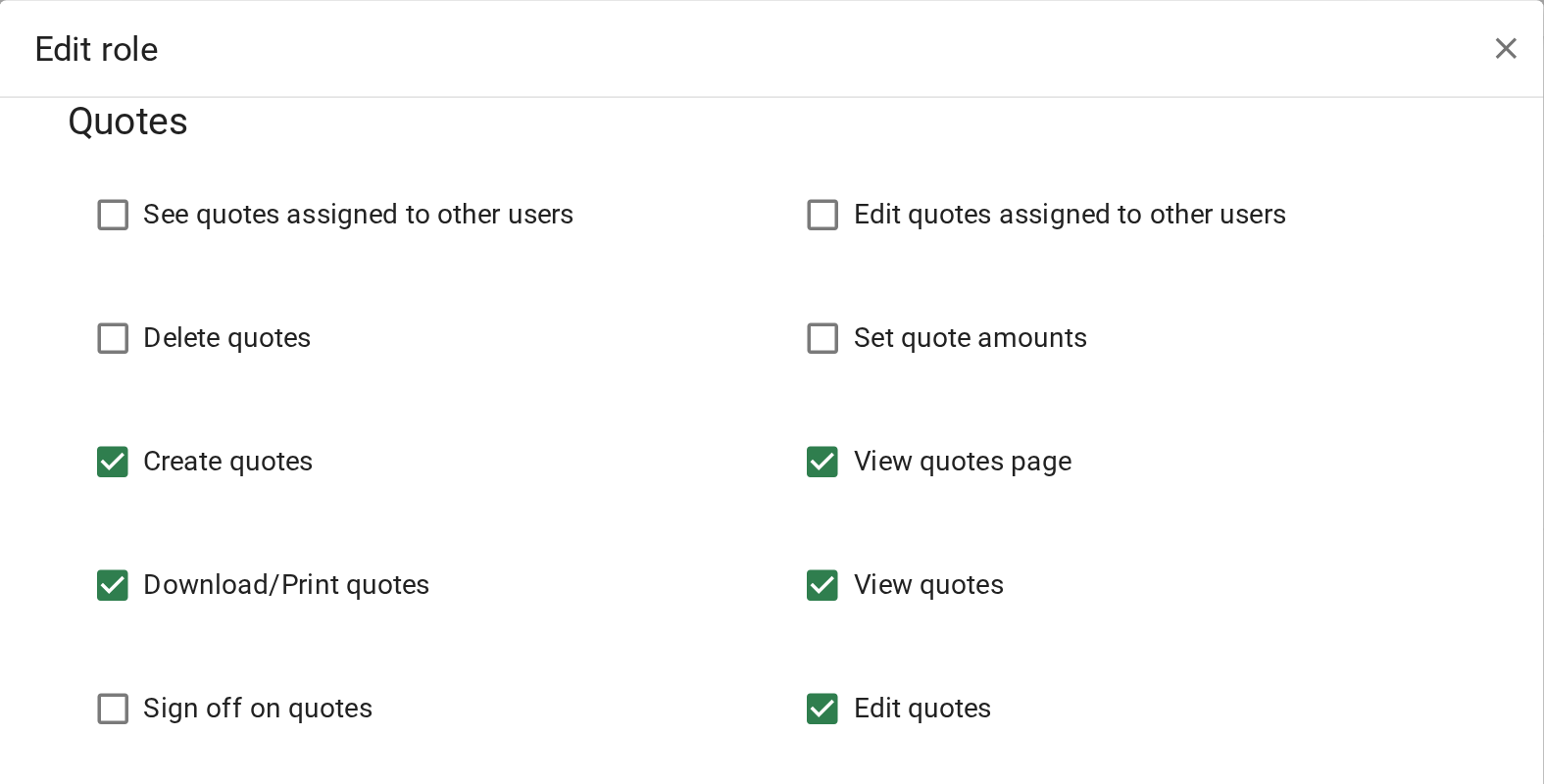
Giving your staff access to quotes, email and requests
Permissions for features outside your subscription, such as workflows and time keeping, show a lock and cannot be ticked. They unlock when you upgrade, so you do not need to come back here if you move to Enterprise.
Confirm your setup
Ask someone with the User role to refresh VOW. They can open the quotes page and the requests page from the menu.
For every permission in the role editor, see Roles.